
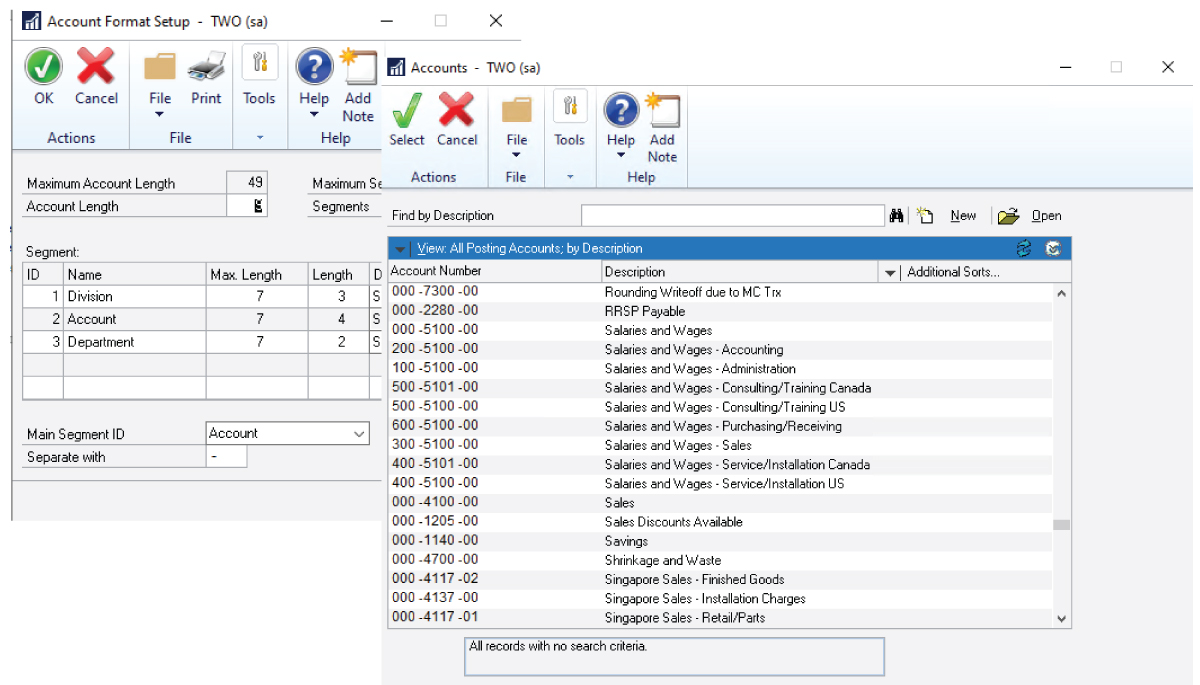
Dynamics GP customers are used to a segmented chart of accounts, where values such as company, department, location, fund, or main account are built into the account number. In Business Central, those reporting details are typically handled with dimensions assigned to transactions separately from the G/L account.
The result is a cleaner chart of accounts and more flexible reporting, analysis, and growth.
Great Plains
Business Central
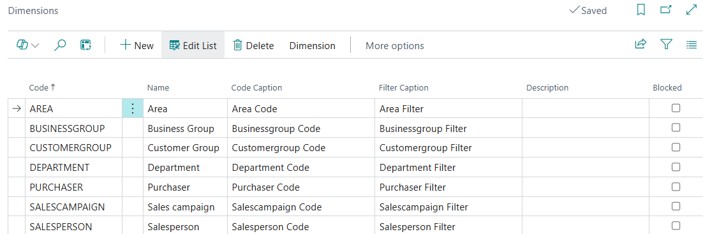
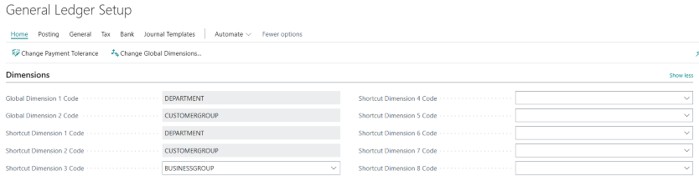
GP Segments vs. Business Central Dimensions
| Area | Dynamics GP Segments | Business Central Dimensions |
| Structure | Segments are part of the G/L account number. | Dimensions are assigned to transactions separately from the G/L account. |
| Chart of accounts | Can become large as reporting combinations increase. | Can remain cleaner because reporting categories are stored as dimensions. |
| Flexibility | Changes can be difficult once the account framework is established. | Dimensions provide more flexibility for analysis and reporting. |
| Reporting | Reports often rely heavily on account segment ranges. | Reports can filter and analyze by G/L account and dimension values. |
What Changes?
Moving from GP to Business Central is not usually a one-for-one recreation of the existing chart of accounts. It is a design opportunity to decide what belongs in the G/L account and what should become a dimension.
Why Dimensions Matter
Dimensions change the design conversation. In Business Central, the G/L account classifies the financial activity, such as revenue, expense, asset, or liability, while dimensions add the business context, such as department, location, project, fund, grant, or customer. Together, they create a structured foundation for reporting without forcing every reporting combination into the chart of accounts.
- Enhanced insight: Adds the ability to analyze financial and operational results by department, location, project, fund, grant, or customer
- Better reporting: Filter, drill down, and analyze results without restructuring the chart of accounts.
- Simplified accounts: Reduce the need for hundreds of account combinations.
- Consistent data: Standardize how reporting attributes are captured to reduce errors and support audit readiness.
- Cost control: Track expenses and profitability by department, location, project, fund, grant, or customer

Common Mapping Approach
- Main account usually becomes the Business Central G/L account.
- Department, location, division, fund, program, project, or grant often become dimensions.
Planning Tips
- Do not assume every GP segment should become a dimension. Review how each segment is used today.
- Keep the chart of accounts simple. Use dimensions for reporting categories that do not need separate G/L accounts.
- Choose global dimensions carefully. Select the values used most often for reporting and filtering.
- Clean up values before migration. Remove inactive, duplicate, or outdated values where possible.
- Plan fianancial reporting early. Confirm that financial statements and management reports can be produced using the new structure.
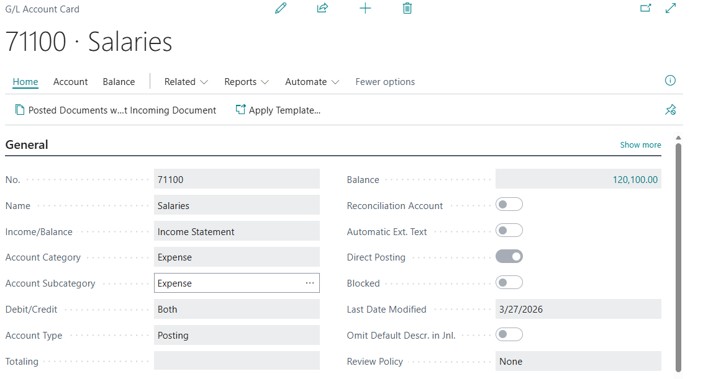
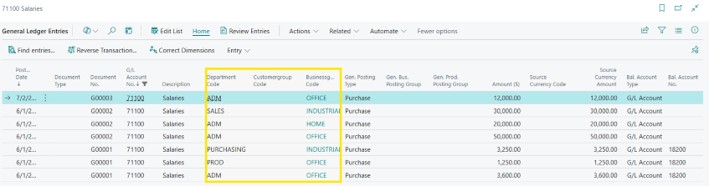
Example: A GP account such as 01-71100-300 might become G/L Account 71100 Expense, with dimensions for Department, Customer Group, and Business Group. The reporting details remain, but the chart of accounts is easier to maintain.
Key Takeaway
GP segments and Business Central dimensions both support financial reporting, but they do it differently. GP embeds reporting structure into the account number. Business Central separates the account from the reporting attributes, giving organizations more flexibility and a cleaner foundation for growth.
Contact PTC with any questions or if you need assistance managing your ERP investment.